Why no Default Icon Size for Apps?!

Tired of having to resize!

Hi

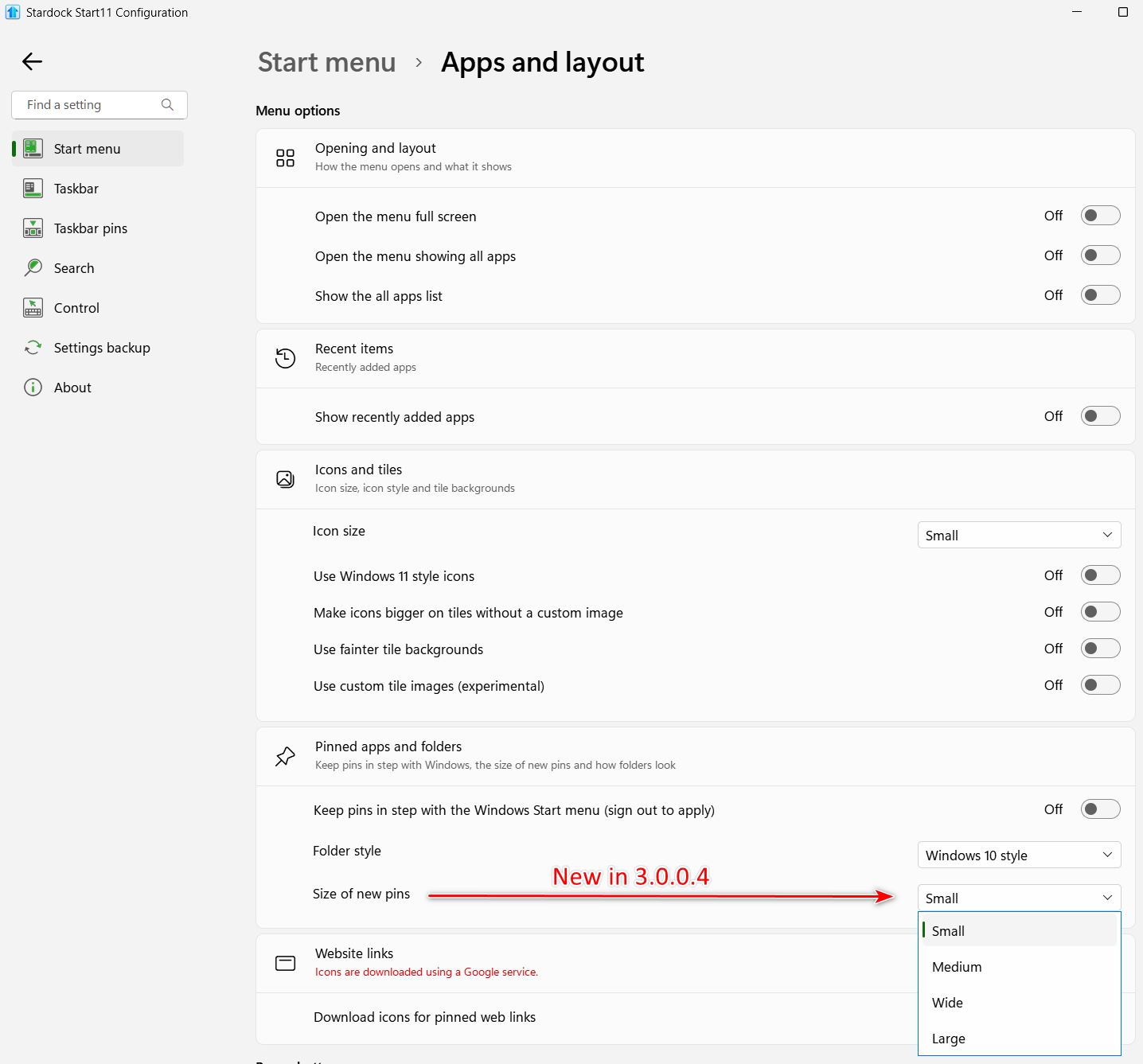
Why has Start11 not got option to choose size for apps?
Every single time I ad new or update apps then have have to manually resize and move apps! Its crazy, how is this supposed be ok?!
It drives me insane!
I've actually uninstalled because its become so darn frustrating!

334 views 5 replies
Reply #1 Top

Which menu style are you using?

And how are you adding items?

Reply #2 Top

Neil,

This has been a problem with the Windows 10 style for while, and there have been multiple posts about it.

If you pin a new app to a group or tab, it is inserted at Medium size and creates havoc with the other apps in the group, especially if they are all small size.

My workaround was to create a new group on another page, and then pin all new apps there first. After resizing to small I move them to the group and to the exact location where I want them.

I think what we are asking for is a setting for the default size when pinning new apps. For example, if this setting was set to small, then all newly pinned apps would be the small size. This would help, but still cause disruption of the existing layout of the group where it was pinned.

My method solves both issues and works well for me.

pelaird

Reply #3 Top
Quoting Neil, reply 4149875

Which menu style are you using?

And how are you adding items?

End of Neil's quote

Hi Neil.

I'm using Windows 10 style. I add it via right-clicking on an app context menu and sending it to Start11 ... is there any other way? And more importantly. a way to avoid this issue?

Reply #4 Top
Quoting cosmicfx,

Hi

Why has Start11 not got option to choose size for apps?

Every single time I ad new or update apps then have have to manually resize and move apps! Its crazy, how is this supposed be ok?!

It drives me insane!

I've actually uninstalled because its become so darn frustrating!

End of cosmicfx's quote

Reply #5 Top

I'm aware of that but it does not solve the problem. Windows 1o style only adds icons in "medium" size, which not only forces me to have to resize it each time, but also messes up the positions of all the other icons. And If i do use the controls you show and make everything "medium" then they are squashed because Windows 10 style only give options for amount of icons across in the size of "small"


OH WAIT. VERSION3!

SO NOW I HAVE TO PAY MORE MONEY JUST FOR THE DARN THING TO WORK THE WAY IT SHOULD IN THE FIRST PLACE!!