Fences 6.52 Release Feedback

With the Fences 6.52 release, we are creating this thread so that users can report any observed issues.  

Obtaining the product

Object Desktop members can get the release from within Object Desktop Manager 

Individual purchases (as well as Object Desktop Members) can also be obtained from your account page: https://store.stardock.com/myaccount/products

For guest check-out purchase (no account), from this link: http://www.stardock.com/support/productkeyretrieval

Reporting an issue

Please include the following for anything found:

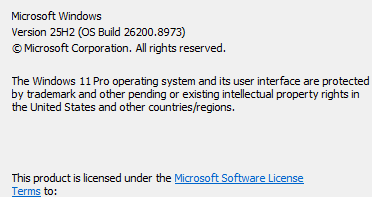
  • Exact Windows version \ build (winver.exe)

  • Detailed steps to recreate the issue seen

  • Screenshots and videos are very helpful.  Videos can be uploaded to a cloud drive service (GoogleDrive, DropBox, OneDrive, YouTube), with a shared link included in your post.  Images can be copied and pasted directly into a post.

  • If there are specific apps that the app does not work (well) with, please note what apps and their exact versions.  If any app is not common, a link to a trial version would be appreciated.

Thank you for your interest and any time you put into making Fences 6 a better product.

636 views 23 replies | Pinned
Reply #1 Top

Date

7/22/2026

Version

6.5.2.7 (6.52)

Changes

  • Fixed issue with accidental icon selection.

  • Fixed overlapping icon spacing issue when icons are in "Large" mode.

  • Improvements in DPI-change handling, especially when combined with resolution changes.

  • Continued improvement of handling of DPI changes during monitor sleeps.

Date

6/04/2026

Version

6.4.8.2 (6.48)

Changes

  • Fixed: Right clicking desktop could cause icons to shuffle temporarily when icon position animation is enabled.


Reply #2 Top

Known issues

While we appreciate all feedback, please remember that we offer no official support for beta \ preview \ developer channel versions of Windows. If you report issues while in any of those early release channels, you should not expect them to be addressed unless it still exists in a retail version of Windows.

Reply #3 Top

***Reserved***

Reply #4 Top

I posted a detailed message in the previous version.  Do I take it that I should install this new version without knowing if the old version caused any of my issues?  


Reply #5 Top
Quoting waynehewitt2, reply 3996512

I posted a detailed message in the previous version.  Do I take it that I should install this new version without knowing if the old version caused any of my issues?

End of waynehewitt2's quote

Since you have Windows 11 Pro, have you tried installing Fences in a Windows Sandbox?

Reply #6 Top

I did not try sandbox as a clean boot with my normal background load and fences the only thing running should be a better test.

I think that the last two entries in 'changes' may have direct bearing on my issues as my problems tended to cluster around wake/resume moments.  In one recorded case even a separate background logging process stalled for over 4 minutes at the exact moment I returned to the machine.

I will try 6.52 as a normal upgrade but will continue logging and resort to a clean boot if problems persist.  

I will report back once I have had a chance to test.

Reply #7 Top

Hello, 

Fence Version 6.52 Just updated  from 6.46 same issue.


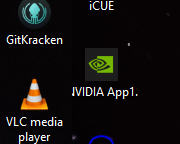
There seems to be a Icon name issue.  When the name text box line is maxed, the text is hidden behind a Fence.  This happens on multiple monitors, and on multiple fences with different icons.  Icon size does not matter, it does not change the issue.  I have provided a screenshot of the Nvidia icon (i maxed it name out on line 1) to show the cut off N.  I have already tried the Fix desktop icon spacing utility in troubleshooting.  It did not work.


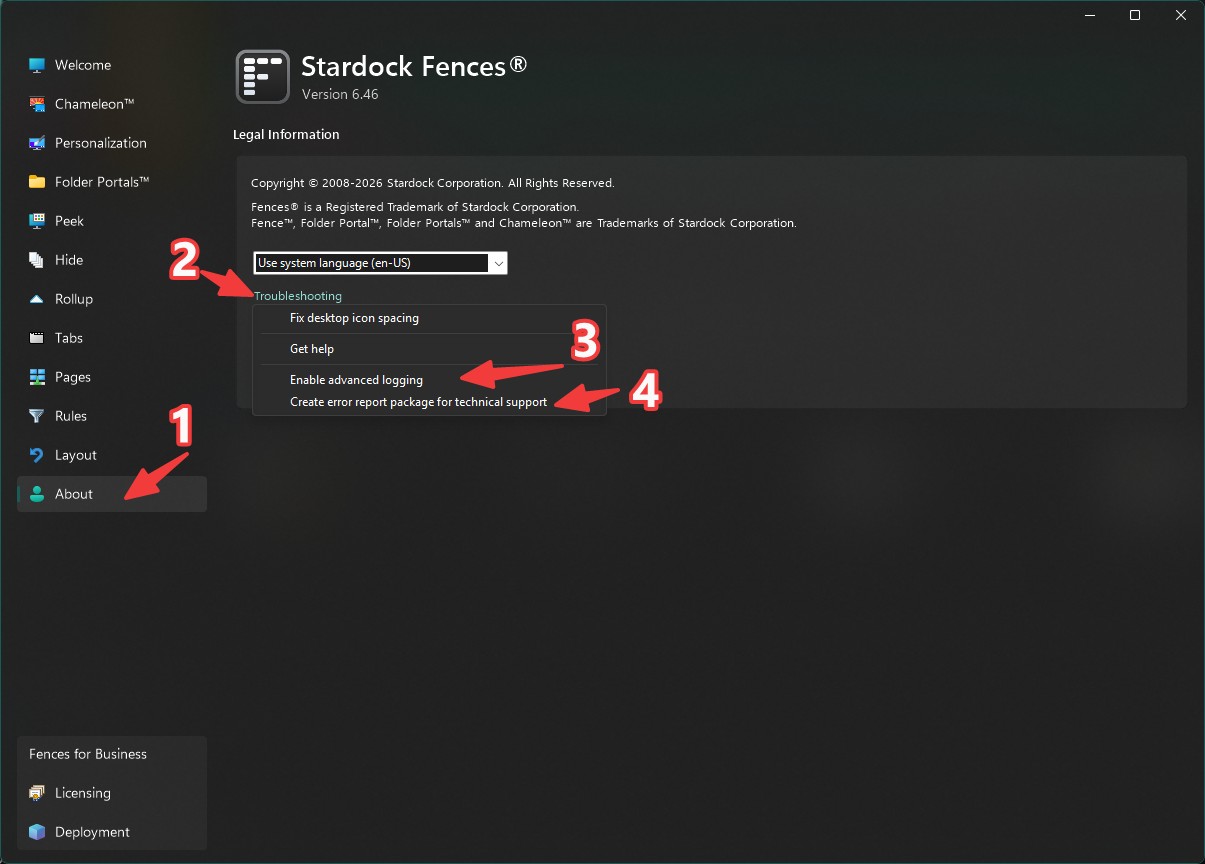
I will enable advanced logging, and submit a error report in just a few min.
Please advise.  Thank you
Jeff

Reply #8 Top
Quoting jeffis108, reply 3996620

Hello, 


Fence Version 6.52 Just updated  from 6.46 same issue.


There seems to be a Icon name issue.  When the name text box line is maxed, the text is hidden behind a Fence.  This happens on multiple monitors, and on multiple fences with different icons.  Icon size does not matter, it does not change the issue.  I have provided a screenshot of the Nvidia icon (i maxed it name out on line 1) to show the cut off N.  I have already tried the Fix desktop icon spacing utility in troubleshooting.  It did not work.


I will enable advanced logging, and submit a error report in just a few min.

Please advise.  Thank you

Jeff

End of jeffis108's quote

Hello,

Sorry to hear you are having issues. I have responded to you on your own thread. https://forums.stardock.com/542137

Thank you,

Basj,

Stardock Community  Assistant.


Reply #10 Top
Hey, I've been having a problem with moving icons. they no longer move from one fence to another or back to desktop. I can move a desktop icon into a fence but that's it. I belive it started happening after the recent update but I can't be sure. 
Ive only had fences for a few weeks. worked amazing up till a couple days ago with the icon issue.
I have the steam version and run wallpaper engine. happens regardless of wallpaper engine running or not.
Reply #11 Top
Quoting deadleader6, reply 3996843

Hey, I've been having a problem with moving icons. they no longer move from one fence to another or back to desktop. I can move a desktop icon into a fence but that's it. I belive it started happening after the recent update but I can't be sure. 

Ive only had fences for a few weeks. worked amazing up till a couple days ago with the icon issue.

I have the steam version and run wallpaper engine. happens regardless of wallpaper engine running or not.

End of deadleader6's quote

Hello,

Sorry to hear you are having issues. First, please update your Fences to the latest beta via Steam. make sure to reboot the system after the installation is done. Test the issue again. If it still appear. we need more details.

  1. Windows 11 full version and OS Build number. Use Winver.exe to get this information.
  2. Details on icons that move and from inside a Fence to desktop or to another Fence.
  3. Is the issue on any icons, or perhaps, only on MS Office documents etc.

Thank you,

Basj,

Stardock Community  Assistant.

Reply #12 Top

running windows 10 ver 19045.6466 

beta version on steam didn't fix it. 

its any icon. they won't move from one fence to another or back to desktop. 

Reply #13 Top
Quoting deadleader6, reply 3996852

running windows 10 ver 19045.6466 

beta version on steam didn't fix it. 

its any icon. they won't move from one fence to another or back to desktop.

End of deadleader6's quote

If you're the same guy posting here in Steam : https://steamcommunity.com/app/3165690/discussions/0/588434705716689243/?tscn=1786475538, please continue over there. 

Thank you,

Basj,

Stardock Community  Assistant

Reply #14 Top

for anyone else having the issue it was caused by the roll down feature. double clicking the fence header to turn off roll down allows the icon movement to act normal. Not sure if this is a bug or the way it is intended to be but I'm pretty sure this was working differently before.  to move between fences they also have to be in the non roll down mode too. 


Reply #15 Top

Hi deadleader6, this type of problem is typically an installation problem, or a codesign certificate problem on the machine. Please try giving it an uninstall and reinstall? Just be sure to say "no" to removing your settings during uninstall and it'll pop right back. (Reboot needed after uninstall, but not after the reinstall.)

Reply #16 Top
Quoting deadleader6, reply 3996857

for anyone else having the issue it was caused by the roll down feature. double clicking the fence header to turn off roll down allows the icon movement to act normal. Not sure if this is a bug or the way it is intended to be but I'm pretty sure this was working differently before.  to move between fences they also have to be in the non roll down mode too.

End of deadleader6's quote

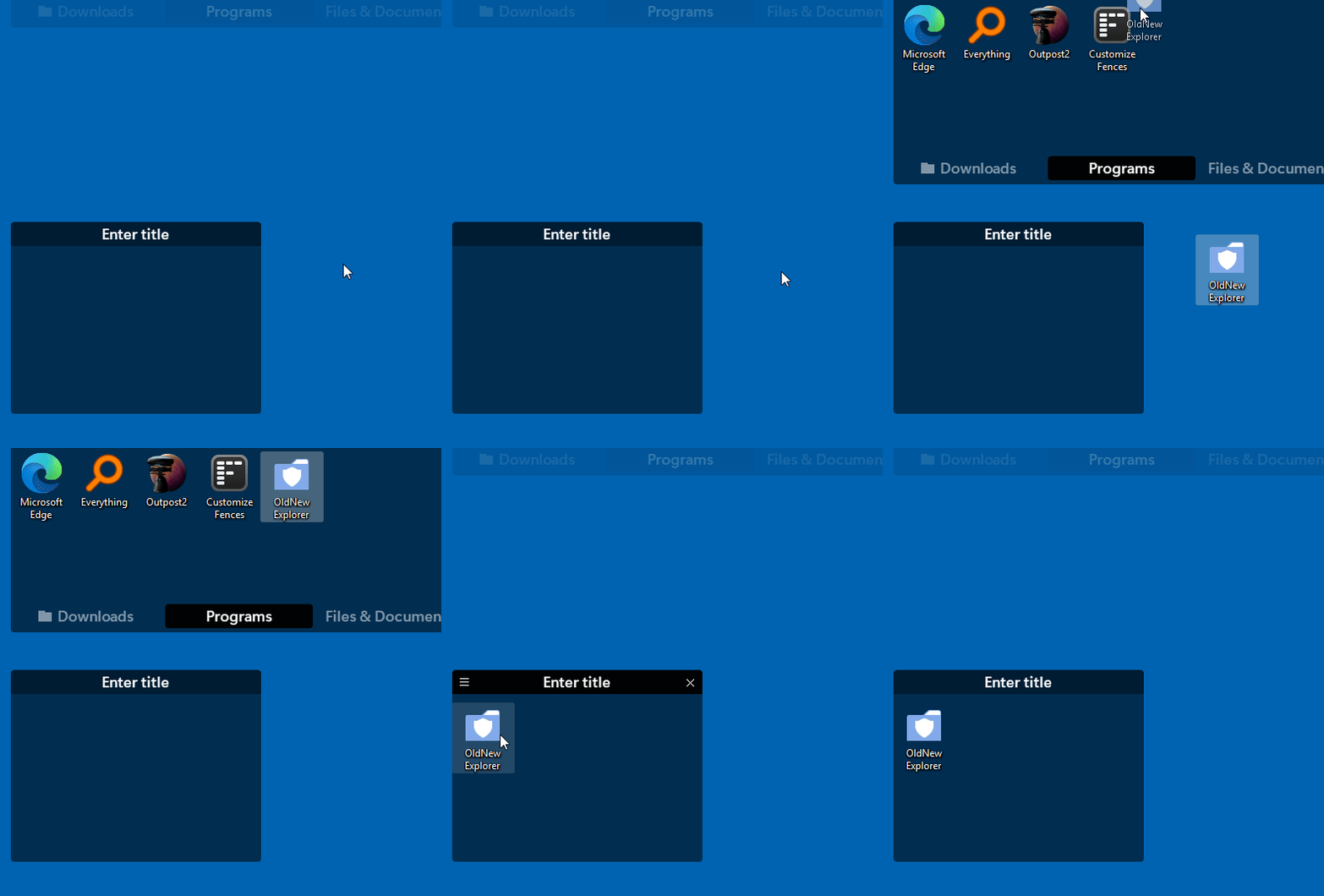
Just as a reference this is what I see with roll up still active on my system. Moving icons between Fence to desktop or Fences to Fences not a problem.

Thank you,

Basj,

Stardock Community  Assistant

Reply #17 Top

Any way I can submit a bug report for this? thats not how mine behaves as soon as roll up in being used.


Reply #18 Top
Quoting deadleader6, reply 3996861

Any way I can submit a bug report for this? thats not how mine behaves as soon as roll up in being used.

End of deadleader6's quote

Have you tried what Dev suggested in Reply#15? 

Also, post a video showing what you see on your system. Perhaps, that would help us understand the issue better.

Thank you,

Basj,

Stardock Community  Assistant

Reply #20 Top

Please Turn on Advance logging, reboot the system. recreate the issue and than Create error report and send it in for Support. 

Thank you,

Basj,

Stardock Community  Assistant

Reply #22 Top
Quoting deadleader6, reply 3996989

Uploaded the report.

End of deadleader6's quote

Thank you. Please give some time for Support to get back. Appreciate your patience.

Basj,

Stardock Community  Assistant

Reply #23 Top

I can confirm, looks like a licensing issue.

2026-08-12 01:33:31,623 - ACTIVATION PROBLEM - unable to read SAS License file.

Will need to look into ways to debug this further, but a couple things that come to mind:

- Clearing out the licensing directory, i.e. remove "%programdata%\Stardock\Fences6" and then log off and log back on. Re-activating should resolve the issue, if indeed a problem with %programdata% permissions was related. (If no activation screen, or if %programdata%\Stardock\Fences6 fails to ever create, then that certainly is a hint.)
- Uninstalling and manually making sure the folder is removed, %programfiles(x86)%\Stardock\Fences, after reboot before reinstalling, again I guess just for sake of not sure if some disk file permissions thing is mixing things up.

We can look at adding some additional debug information to the app itself, to try to give more report. By virtue of receiving this message at all though, it seems like reinstalling might not be necessary, and seems like maybe a license directory issue. If the licensing stack were not loading up at all, it would not make it this far. But, if you're not seeing an activation screen after clearing out the license folder and logging off/on, then certainly could point to something preventing the activation dialog from loading up!

Whatever it ends up being, certainly would like it to not repeat.