
Animated Wallpaper

not working

Hi, 

Deskcape 2026 works with BUG for animated wallpapers; both old and new.

When I apply it, the result is a blank black wallpaper.

Anyone can view it at the link:


please Fix it.

Edition Windows 11 Pro ,  Version25H2 , OS build 26200.8524

AMD Ryzen 9 7900 12-Core Processor (3.70 GHz),  NVIDIA GeForce RTX 5070 (12 GB)


175 views 5 replies
Reply #1 Top

Hello,

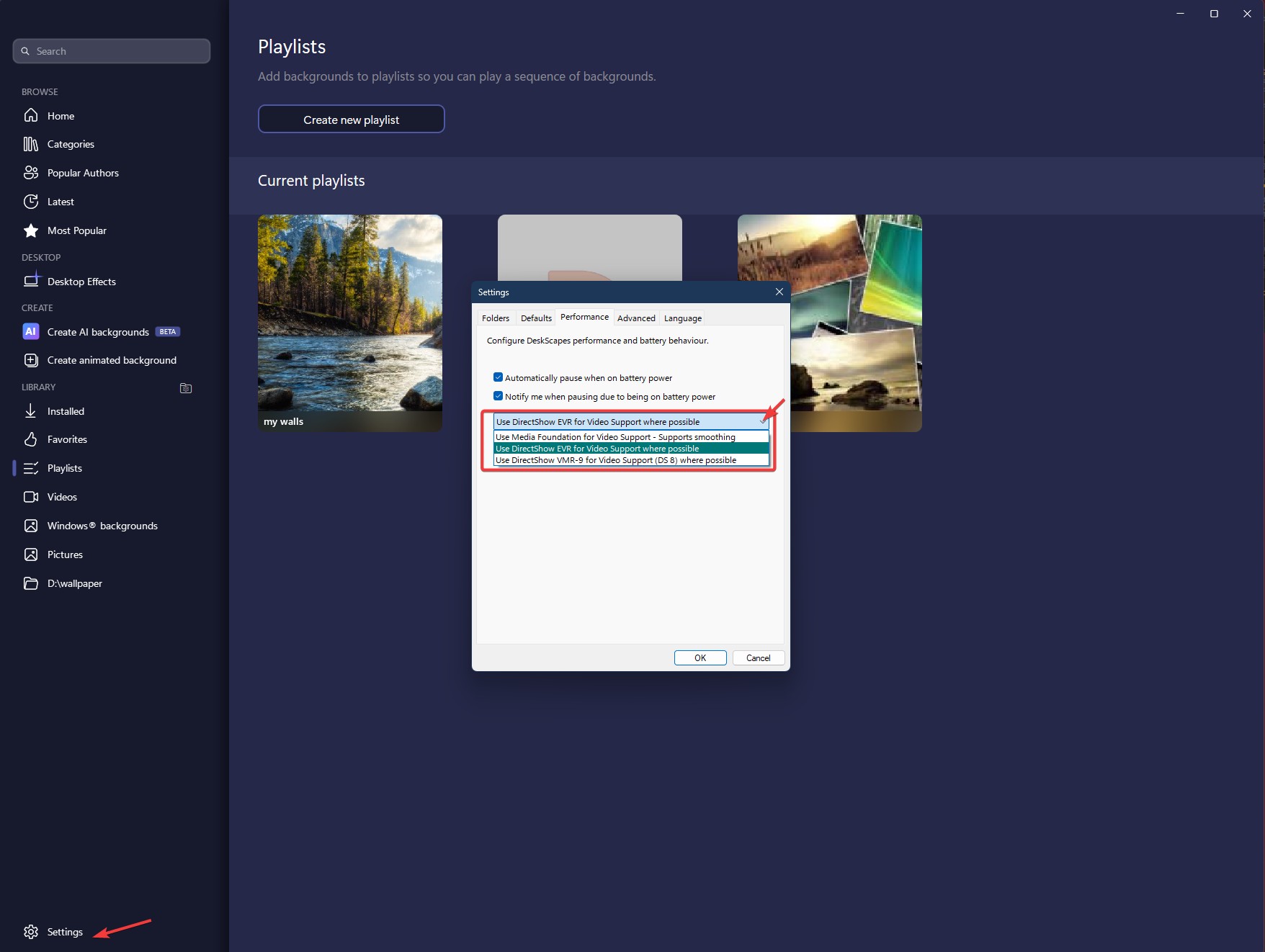
Sorry to hear you are having issues. I tested the 4K Moon river and can't reproduce your issue on my system. Perhaps try changing these 3 setting and see if any of these setting work for you.

Thank you,

Basj,

Stardock Community  Assistant.

Reply #2 Top

hello, 

"The settings were the same".. so the problem is still not solved.

It can be seen in the video that not even the preview of the animated wallpaper is visible..

Reply #3 Top

It’s still not very clear, so just to confirm, the issue remains the same even after you tried all three settings, correct?

If so, please try, uninstall Deskscapes 2026, reboot immediately (important), download latest version available in your account product download page: https://store.stardock.com/myaccount/products. Install it, reboot immediately again. Retest it and report back.

Thank you,

Basj,

Stardock Community  Assistant

Reply #4 Top

hello, 


reinstallation was not successful either.

Then I put Deskcape11 back.

I tested it and:

Worked with all Performance Settings 

Unfortunately, I forgot to look at the Deskcape11 video wallpaper setting, but I remember it working even earlier.

can be seen in this video


After that, I upgraded deskcape11

After that, DirectShow worked with 2 settings, but it didn't work with the third performance setting (use media foundation...)

BUT:

Setting the video as wallpaper doesn't work, except for a one video that is mpeg


After:

I checked it on another computer and it worked nicely there and the video is set as wallpaper as well


Seeing all this, I have a strong suspicion that some settings or software is incompatible.

I tested the Bandicam software, I stopped it, but it didn't solve the problem.


My question is this:

How can I find out what's causing the problem??

Reply #5 Top

Perhaps update the video codec? Try installing the latest codec from here: https://codecguide.com/download_kl.htm. Try it and report back.

Thank you,

Basj,

Stardock Community  Assistant